Table of Contents
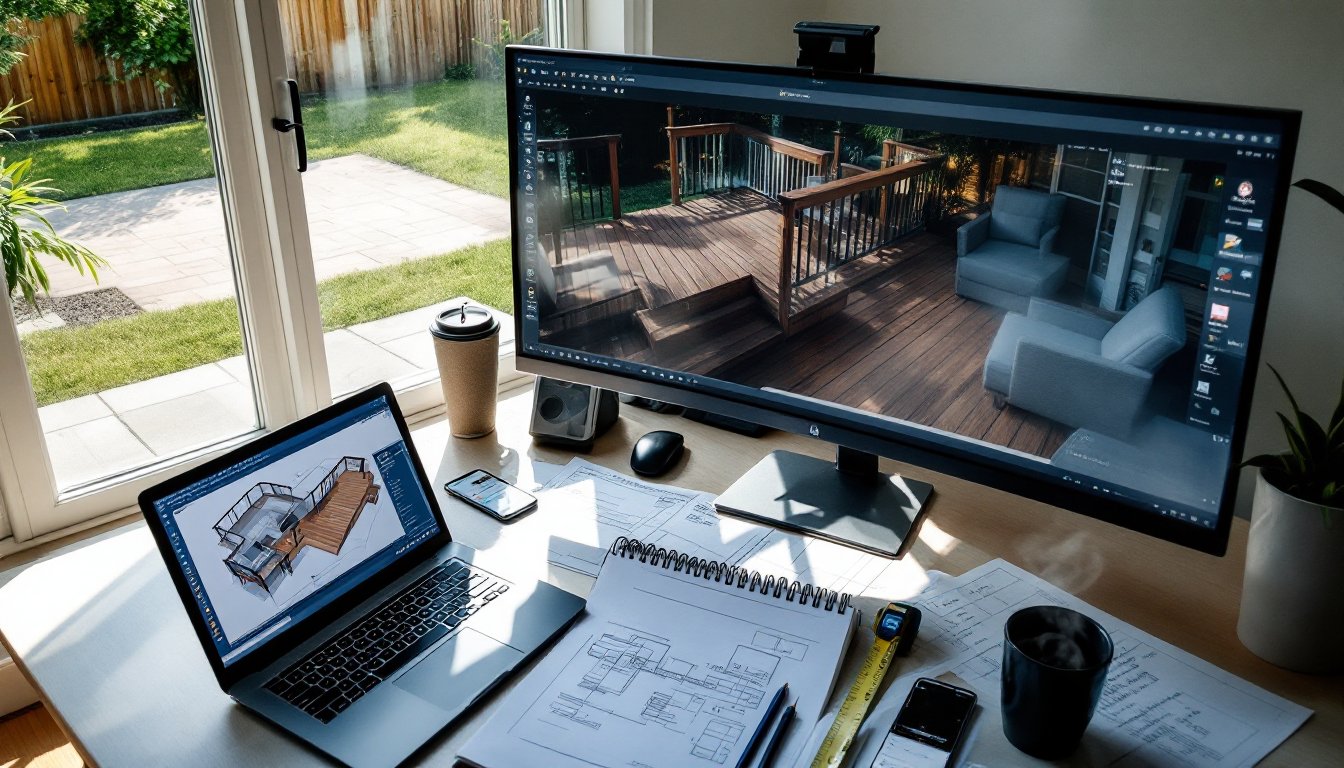
TogglePlanning a deck without design software is like framing a wall without measuring twice, possible, but risky. Digital deck design tools let homeowners visualize layouts, calculate materials, and catch costly mistakes before the first post goes in the ground. Whether someone’s tackling a ground-level platform or a multi-tier entertainer’s dream, free software can turn rough sketches into buildable plans. The right tool saves time, reduces waste, and helps communicate ideas to contractors or permitting offices. Here’s what to know about the best free options available in 2026.
Key Takeaways
- The best free deck design software helps visualize layouts, calculate materials accurately, and catch structural errors before construction begins, saving hundreds on wasted lumber and costly do-overs.
- SketchUp Free offers robust 3D visualization with an intuitive push-pull interface, while Decks.com Deck Designer provides purpose-built simplicity for quick material takeoffs without requiring CAD experience.
- Quality deck design tools incorporate IRC guidelines to flag structural issues like unsafe joist spans and improper post spacing, preventing expensive inspection failures.
- Accurate site measurements, local code verification, and testing multiple digital layouts before committing to post locations are essential steps to a successful deck project.
- Export capabilities (PDF, JPEG, PNG) and material list generation distinguish true deck design software from basic sketching tools, making permit submissions and contractor communication seamless.
- Free deck design software can satisfy most permitting offices with dimensioned drawings, though some jurisdictions may require engineer-stamped plans for complex decks over 30 inches high.
Why Use Deck Design Software Before Breaking Ground
Free deck design software isn’t just about pretty renderings, it’s a planning tool that prevents expensive do-overs. Most programs calculate material quantities with reasonable accuracy, helping DIYers order the right amount of decking, joists, and fasteners without guessing. That alone can save hundreds in wasted lumber or last-minute runs to the supply yard.
Visualization matters, especially for spatial relationships. A 12×16 deck looks different on paper than it does anchored to the house. Software helps users test railing heights, stair placement, and furniture layouts before committing to post locations. It’s easier to move a digital bench than to relocate a concrete footing.
Many municipalities require dimensioned drawings for deck permits, particularly for structures over 30 inches high or attached to the home. Free tools generate plan views and elevations that satisfy most permitting offices, though requirements vary by jurisdiction. Check local building codes, some areas demand engineer-stamped plans for decks with complex loads or unusual spans.
Design software also flags structural issues early. Joist spacing, beam span tables, and ledger board attachment all follow IRC guidelines (International Residential Code). Quality programs incorporate these standards, alerting users when a 2×8 joist won’t safely span 12 feet or when post spacing exceeds recommended limits. Catching these problems digitally is cheaper than discovering them during inspection.
Top Free Deck Design Tools for Homeowners and DIYers
SketchUp Free: Best for 3D Visualization
SketchUp Free runs entirely in a web browser, no downloads, no license fees. The free tier offers robust 3D modeling tools that handle deck projects with ease, from simple platforms to elaborate multi-level designs. Users can rotate views, test shadow patterns at different times of day, and export images for permit applications.
The learning curve is moderate. SketchUp uses a push-pull interface that feels intuitive once someone spends an hour with the tutorials. Pre-made components (railings, stairs, posts) are available in the 3D Warehouse, a library of user-uploaded models. Grabbing a ready-made baluster set beats modeling each picket individually.
SketchUp Free includes basic measurement tools and dimensional labeling, though it won’t auto-generate material lists like specialized deck software. Users need to manually tally lumber quantities, which takes extra time but gives precise control. The platform exports to PDF and image formats, useful for printing plans or emailing to contractors. Platforms like Houzz often showcase SketchUp-rendered deck designs for inspiration.
Limitations: The free version caps cloud storage at 10GB and lacks some advanced rendering features. For complex decks with curves or custom railings, the paid SketchUp Pro version offers more flexibility, but most residential projects stay within the free tier’s capabilities.
Decks.com Deck Designer: Purpose-Built Simplicity
Decks.com Deck Designer is a web-based tool built specifically for deck planning, not general 3D modeling. Its streamlined interface walks users through shape selection (rectangle, L-shape, wraparound), dimensions, and railing options in minutes. No CAD experience required, just input measurements and choose finishes.
The software auto-generates a materials list with quantities for joists, beams, posts, decking boards, and fasteners. It factors in standard joist spacing (16 inches on-center for most applications) and adjusts for waste. The list isn’t a substitute for double-checking span tables, but it’s a solid starting point for budgeting.
Decks.com Designer produces simple 2D plans and basic 3D previews. The visuals aren’t as polished as SketchUp’s, but they’re clear enough for permit submissions in most jurisdictions. The tool also suggests products sold through the Decks.com marketplace, which is helpful for sourcing but does introduce a sales angle.
Best for: First-time deck builders who want quick results without mastering 3D modeling software. Anyone comfortable with furniture building tutorials will find the interface familiar. It’s less suitable for decks with unusual geometry or integrated features like built-in planters.
SmartDraw: Versatile and User-Friendly
SmartDraw offers a free trial (typically 7 days) with full features, then shifts to a paid model. During the trial, users get access to deck templates, intelligent formatting that auto-aligns objects, and a library of outdoor design symbols. It’s worth the trial period for a one-off project, though it’s not permanently free like the other options.
The platform uses drag-and-drop templates for common deck shapes. Users can customize dimensions, add stairs, railings, and built-in seating, then refine details like fascia boards or skirting. SmartDraw integrates with Microsoft Office and Google Workspace, making it easy to drop deck plans into project documents or budget spreadsheets.
SmartDraw generates clean, professional-looking plan views and elevations. The output is detailed enough for permit applications and clear enough to hand a contractor. It doesn’t calculate material quantities automatically, so users need to measure and tally manually or use a separate calculator.
Trade-off: The free trial is generous, but ongoing projects require a subscription ($9.95/month as of 2026). For homeowners designing one deck, the trial window is usually sufficient. For ongoing DIY work or multiple projects, like those found in workshop setup guides, the subscription might be worthwhile.
Key Features to Look for in Free Deck Design Software
Material list generation separates basic sketching tools from true deck design software. A good program calculates board footage, fastener counts, and concrete volumes for footings. It should account for waste factors, typically 10-15% for decking boards depending on layout and cut complexity. Without this feature, users are stuck doing manual takeoffs, which introduces error.
Code compliance tools are invaluable, even if they’re not foolproof. Software that references IRC joist span tables, beam sizing, and footing depths helps DIYers avoid undersized framing. Some programs flag violations (like a 2×6 joist spanning 10 feet at 16 inches on-center, which exceeds safe limits for most species). Remember that local codes may be more restrictive than IRC minimums, especially in high-wind or seismic zones.
3D visualization isn’t just eye candy, it reveals spatial problems. Viewing a deck from multiple angles shows whether stairs land in awkward spots, if railings block sightlines, or if the structure overwhelms the yard. The ability to toggle furniture, shade structures, or planters helps refine the design before construction starts.
Look for export and sharing options. PDF output works for permit submissions. Image exports (JPEG, PNG) are useful for getting contractor bids or posting in online forums for feedback. Cloud storage or shareable links let multiple people (spouses, contractors, friends with carpentry experience) review and comment on the plan.
Ease of use matters more than feature bloat. A program with a steep learning curve might get abandoned halfway through a project. Interface clarity, helpful tutorials, and logical workflows keep the focus on design, not software troubleshooting. Most free tools offer video walkthroughs, watch them before diving in.
Getting Started: Tips for Designing Your Dream Deck
Start with accurate site measurements. Measure the house wall where the ledger board will attach, note door and window locations, and map any obstacles (AC units, hose bibs, electrical meters). Use a long tape measure, 25 feet minimum, and have a helper hold the dumb end. Record everything, including the distance from corners to property lines if setback requirements apply.
Codes and permits come first, not last. Call the local building department or check their website for deck regulations. Most jurisdictions require permits for decks over 30 inches high, and some have specific rules about ledger attachment to different siding types. Failing an inspection because the deck’s too close to the property line or footings are too shallow is frustrating and expensive.
Test multiple layouts digitally before settling on one. A 12×12 deck might feel cramped for a dining set and grill, while a 14×16 provides breathing room. Experiment with joist direction, running joists parallel to the house can simplify ledger attachment, but perpendicular framing sometimes looks cleaner or accommodates decking patterns better.
Don’t skip the materials selection phase, even in free software. Pressure-treated lumber, cedar, composite decking, and PVC boards all have different spans, fastener requirements, and thermal expansion rates. If the software lets users specify material type, choose the actual product being installed, composite decking often requires closer joist spacing than wood.
Finally, plan for the finished height. Deck surface should sit about an inch below the door threshold to prevent water infiltration. Calculate down from there: subtract decking thickness (typically 1 inch for 5/4 boards, 1.5 inches for composites), then size joists and beams accordingly. Getting the height wrong means awkward steps or drainage problems.
Once the design is solid, print multiple copies. One stays clean for permit submission, another gets marked up on-site, and a third goes to the lumber yard for material ordering. Digital files are convenient, but sawdust-covered hands and tablet screens don’t mix well. With a thoughtful design in hand and the right free software, most DIYers can tackle deck projects with confidence, or at least know when it’s time to call in a pro.